Sunday, November 11, 2012

Web Browser and Javascript History

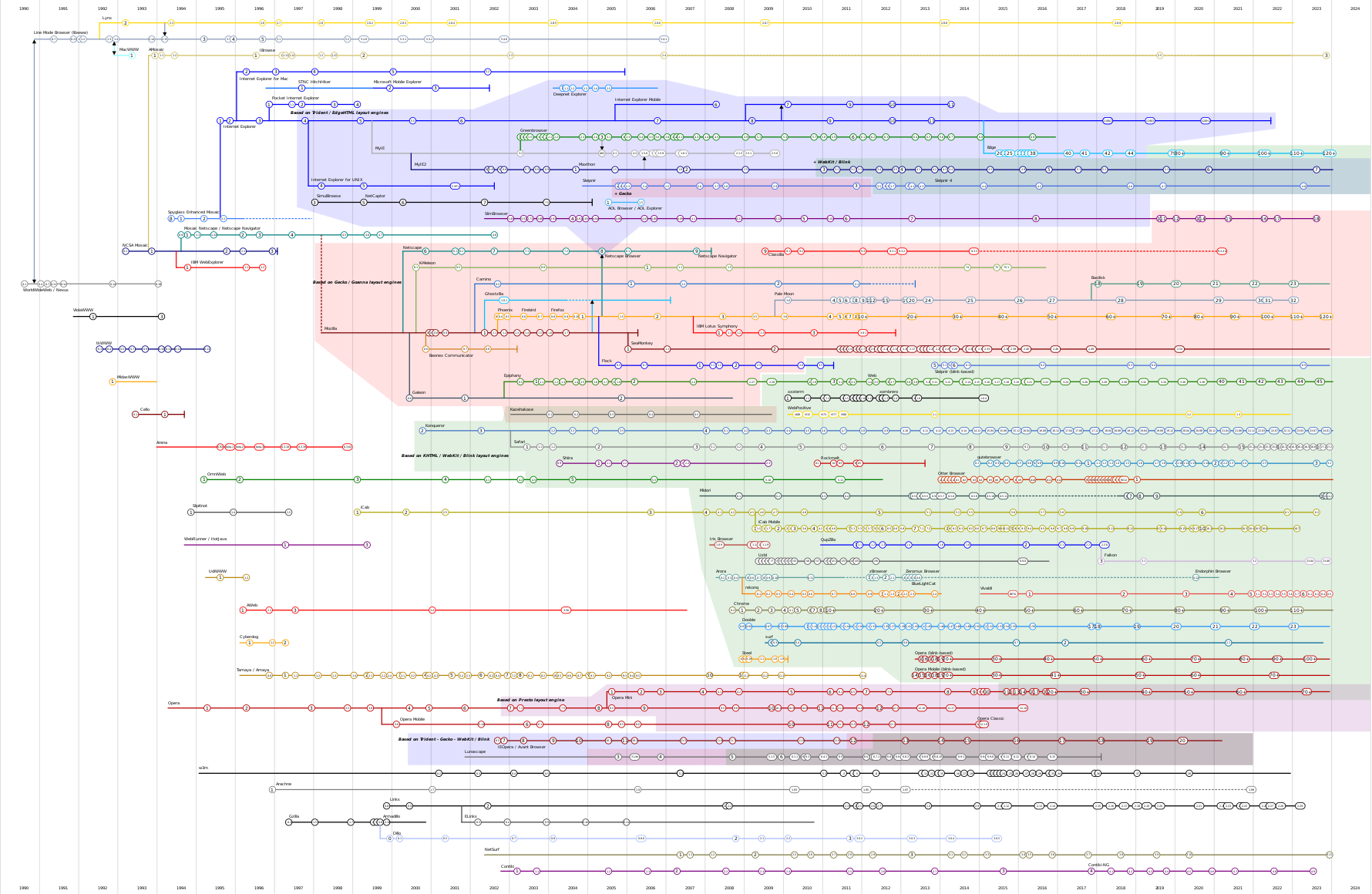
History of Web Browsers 

The Evolution of Web Technologies

The WorldWideWeb (www) was created in 1990 by Tim Bernards and Robert Cailliau at CERN when they first sucessfully tranmistted messages by the HTTP protocol.

The Protocol

The protocol for the web is HTTP where the web client requests information and the web server responds to that request.

The Server and Client Browser

The first web browser were of a monolithic design. In the mid 1990s modular designs were developed which allows us to talk about Scripting Engines, Rendering Engines and Document Object Models and the major components in a Web Browser design.

Web Servers are Apache, IIS, nginx, GWS. These are mostly modular design. Web servers typically handle requests and produce responses from databases.

The Scripting Engine

Javascript was created for Netscape Navigator2.0 beta in 1995 and was soon adopted by Mircrosoft for Internet Explorer 3.0 in 1996  ECMAScript became a formal specification in 1996.

The Document Model

Each browser has a model of the document created from the source HTML input. Using scripting the document may be manipulated by code within the browser. This is Document Object Model (DOM) - Versions: DOM Level 1, year 1998, DOM Level 2, late in year of 2000.

The Rendering Engine

The Rendering Engine is a module of a Web Browser that converts a DOM into a graphic image for display. The Major Rendering Engines are Trident - Internet Explorer; Gecko - Netscape, Firefox; WebKit - Chrome, Safari; Presto - Opera. 

The Problem

All the standards and implementations evolved roughly at the same time and many browser vendors did not follow the standards. The legacy is a quirky mess that drive web programmers nuts.

Adventures with Amber

Adventures with Amber


This post is called Adventures with Amber because I want to use Amber to interface with Javascript libraries and I have had some difficulties. I plan to make a series of blog posts about my attempts to use Amber, Javascript debugging and the Bug I found in the amber code, which I believe I have a patch for.

Overview:

I discovered amber a few months ago and believe it is a useful implementation of Smalltalk in Javascript development . After running the Class browser and testing a few of examples I believed that it was likely I could do useful work with amber. I proceeded to build a test project - Google Charts API in amber.

Amber Hello Example:

I set a goal of using Google Charts API because there is good example code. I proceeded in the following manner I consturcted an Amber hello world example from the amber Getting Started example. I got this example to work.

Google Chart Pie Example:

Next I constructed a Google Chart Pie Graph from the Pie Chart Example page. I got this example to work.

Merging the two Examples:

I have worked over several months on this project. Often I would find when changing the load order of the chart and amber examples that the script would "hang" or "bug" in an extension that worked with both pieces. As with most open source software their are bugs and the projects are not really ready for prime time.

Learn to Debug - Scratch the itch - Find a Bug.

In the past few days I have been concentrating on the integration of Google Charts into amber. I have learned how to use the Javascript debugger and I believe I have found an error in amber.js which causes all the problems.

My next blog post will describe the error.